
Visualizing your sentiments by Group Emoji
Project Summary.
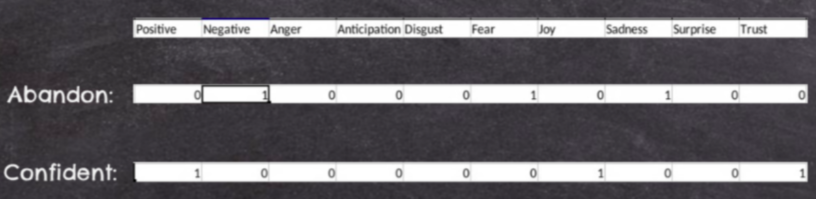
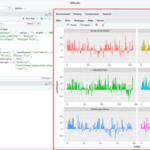
This project aims to conduct sentiment analysis on user inputs and then generates the corresponding emojis as the output. A higher vision for this project is that people are often limited to a few frequently used emojis, and we hope to generate more emojis for the users to express their sentiments. The app first asks the user to either input a piece of a sentence or a .txt file. Then we will conduct the sentiment analysis in the background and generate a “sentiment score” corresponding to the user input. We then match this score to different emojis and find the most accurate emojis that can express this sentiment. We finally output this emoji to the panel for the user to use. The user can also directly input a sentiment score and get a randomly generated emoji so that they can use it directly.
End Product.
This project aims to conduct sentiment analysis on user inputs and then generates the corresponding emojis as the output. A higher vision for this project is that people are often limited to a few frequently used emojis, and we hope to generate more emojis for the users to express their sentiments.
Our audience can be anyone who actively engages with social media every day. Since we usually use emojis to express our feelings, having such a generator can be very interesting. Also, we are trying to change the fact that people are limited to a small scope of emojis, providing them more choices with the sentiment analysis.
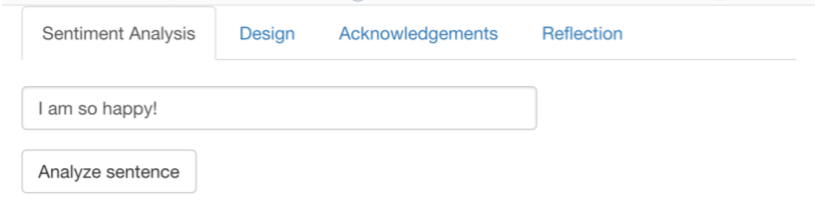
The app first asks the user to either input a piece of a sentence or a .txt file. Then it conducts the sentiment analysis in the background and generates a “sentiment score” corresponding to the user input. We then match this score to different emojis and find the most accurate emojis that can express this sentiment. We finally output this emoji to the panel for the user to use. The user can also directly input a sentiment score and get a randomly generated emoji so that they can use it directly.
We are probably the only group (this year) that do NOT take any dataset to analyze. Instead, we ask the user to give us the data, and we only search the user input in a sentiment database. Therefore, the interactive part is the user can type whatever sentence they want to analyze the sentiment. Then can even upload a file and we’ll analyze the sentiment of the entire file for you. It would be very interesting to see the output emoji with some weird inputs and play around with different sentiment scores.
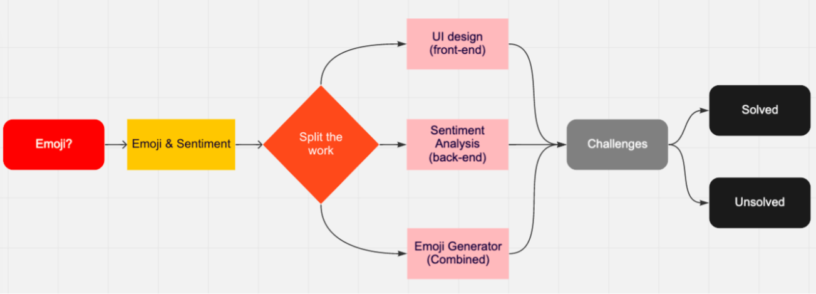
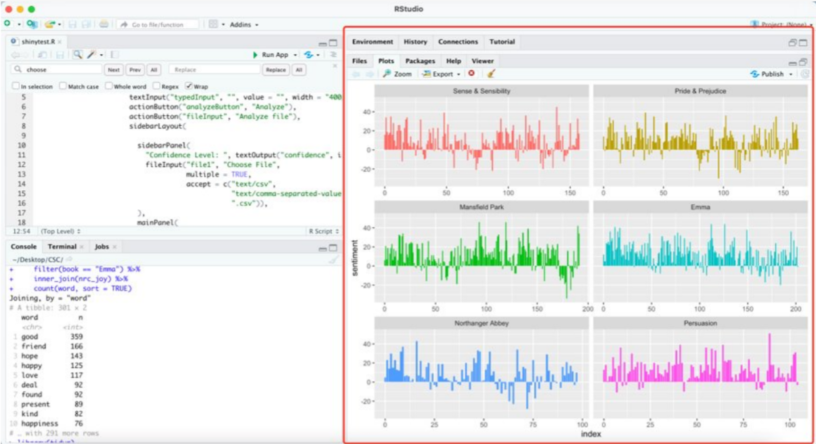
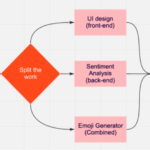
Initially, we were planning to create an app that analyzes the use of emojis in Twitter posts. However, we then realized that the opposite direction is more interesting—take the user input and generate a corresponding emoji. We began our work by searching for resources and then we found the so-called “tidytext” library to conduct sentiment analysis in R. We then found several emoji datasets that we can be used to relate to the sentiment score. In the next step, we split the work: a) to design the UI; b) sentiment analysis, c) converting the sentiment score into emojis. The biggest challenge might be how to deal with different user inputs interactively. It took us a long time to figure out an alternative way to overcome this difficulty. We learned a lot from the process of problem-solving in software design: searching relevant information, using and combining different libraries and functions, and collaborating with peers and instructors.
Acknowledgments.
We would like to thank Davin for providing the info about the NRC sentiment analysis database, and Professor Fernanda for the website of Text mining and the “Tidytext” library.
