Samantha Chu, Nam Do, Lívia Freitas, Brian Goodell, Kevin Peng, Bradley Ramsey
Spring 2024
Overview
The main goal of GrinSync is to make finding and advertising events at Grinnell easier, all at the convenience of one’s phone. Our audience is more focused on students, but we also recognize that faculty and community members are involved in Grinnell College events. Hence, our target audience is anyone involved in Grinnell College events. GrinSync allows users to easily see what events are happening on campus currently and also months in events. There are several functions in the app that will also aid users in finding events that specifically interest them, as users can filter by event tags or search for events. Event organizers will be able to use GrinSync as a place for advertising their events. In all, GrinSync is an app that can completely change how Grinnellians find and advertise events on campus.
Motivation
As Grinnell College students, we know the pains of trying to find a cool event to go to when you’re bored and want something to do. Naively, one may go to the HSSC or Noyce to find events, but both buildings have overfilled bulletin boards, crowded with so many fliers that it becomes extremely difficult to find anything. On the other hand, we also know that as event organizers, advertising your event can be just as difficult when there are outdated fliers covering yours and when students just ignore every email they get. With these two issues in mind, we created GrinSync for anyone who is involved in or who attends Grinnell College events!
Product
GrinSync serves two main functions: 1) To allow students, faculty/staff, community members, and visitors of Grinnell College to discover events at Grinnell and 2) To allow event organizers to advertise and manage their events through the app.
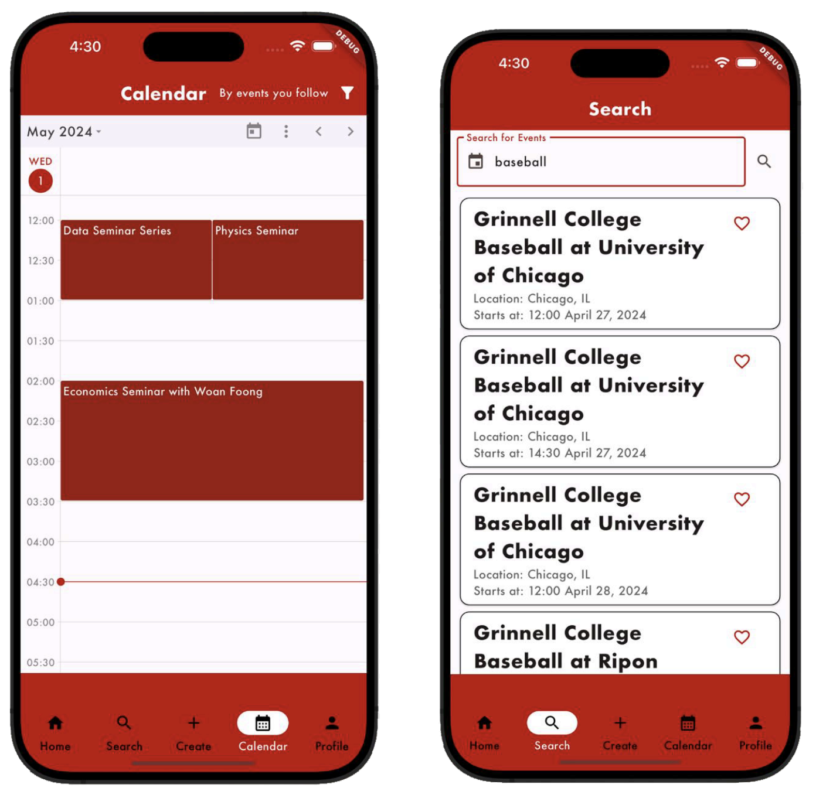
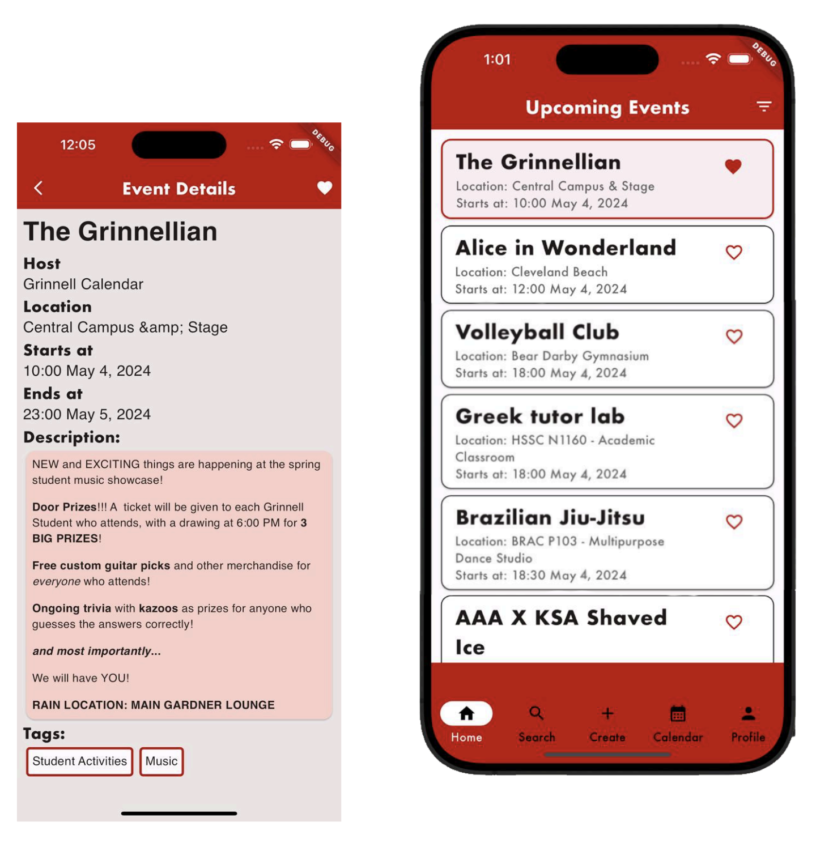
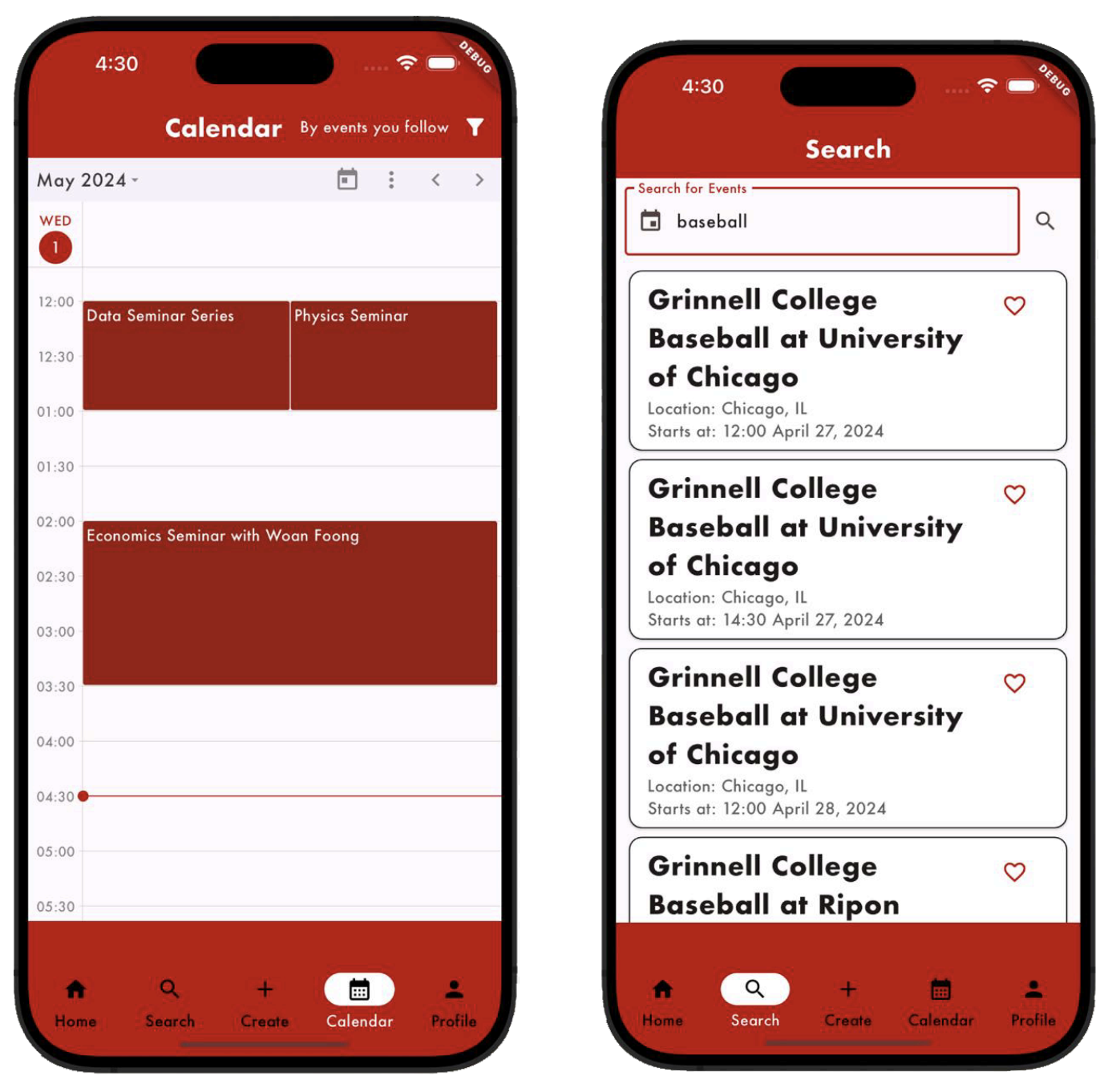 First, GrinSync is an app that has several different functions that allows users to discover events at Grinnell.
- Users can set their tag preferences on the Profile page, and on the Home page, the default view will show all upcoming events that match the preferences they specify. Additionally, users can also select different combinations of tags to filter the upcoming events or choose to only view “students only” events on the Home page (if the user is a student user).
- On the Search page, users can search for events using query keywords, which will be used to find events that have matching titles or locations.
- On the Calendar page, users can view events in the current academic year, with the default view being the users’ own agenda/events that the users already liked/indicated interest in. Users can also switch between multiple calendar time views, check event details by clicking on event cards, or select between three filter options: by tag preferences, by events you created, and by events you liked (default).
- Users can follow specific student organizations and can view all events that they created on the Organization Details page.
- Users can view more information by clicking on any event cards on any of these pages. On the Event Details page, users will be able to view directions to the event location (if map information provided in the event), like the event (save it to the users’ own agenda in the app), save the event to the users’ own calendar, or contact the host to ask for more information. This way, users can make more informed decisions on what events they would want to go to.
- Events on the official Grinnell College calendar will be displayed in GrinSync automatically.
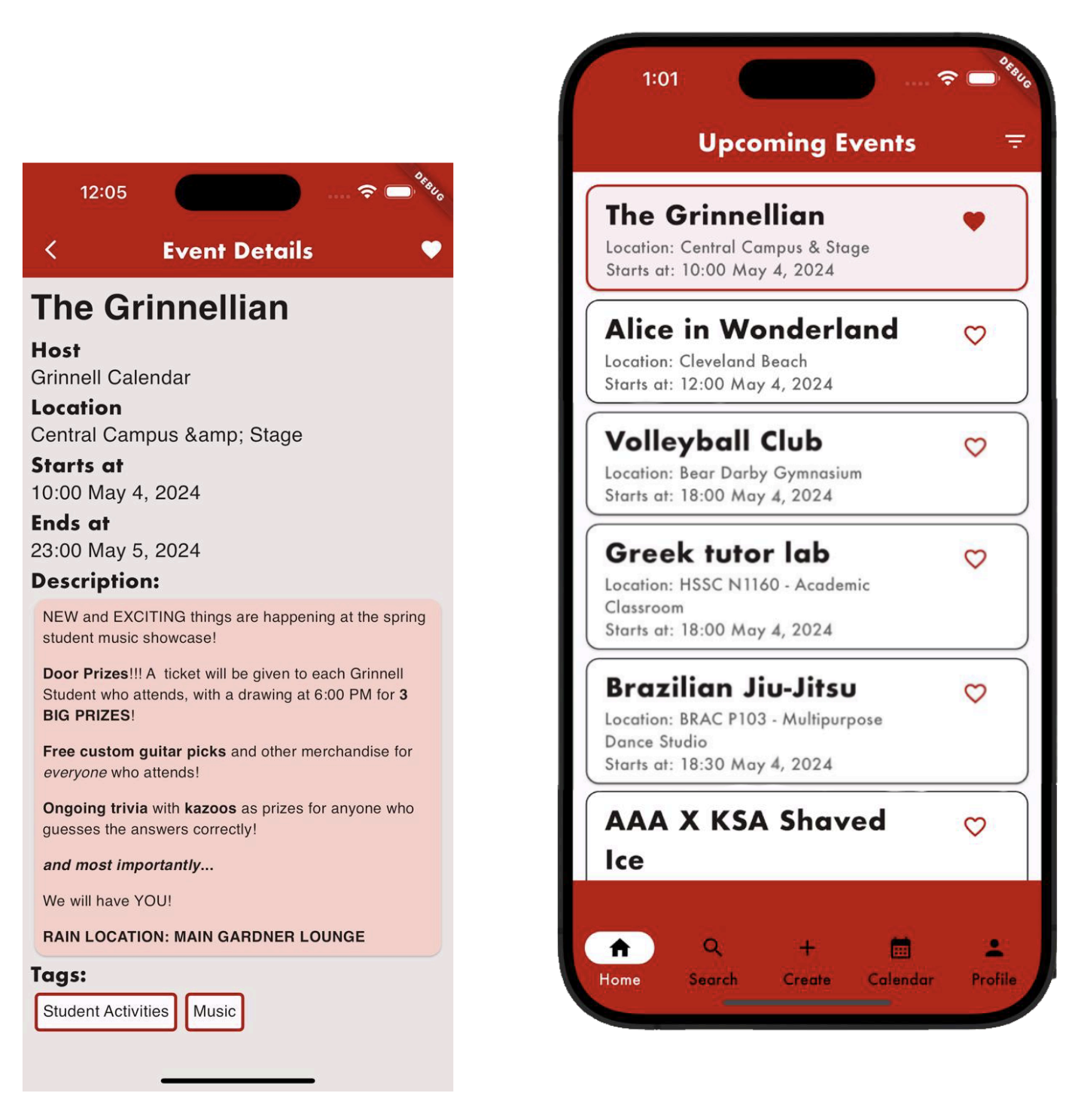 Second, GrinSync makes it easier and more convenient for event organizers to create, manage, and advertise their own events through the app.
- Users can either create new student organizations that have been registered by the college or connect to existing organizations in the app. This way, the app can facilitate cabinet or member transitions within student organizations.
- Once users are linked with an organization, they can create events under that organization’s name or edit events created by the organization in case there are last-minute changes or the event pulled from Grinnell Calendar contains false/outdated information.
- Users can either create events as individual users or as organizations. The Event Creation page allows event organizers to specify important information about their events, and the Event Details page shows common users relevant information in easily readable formats.
Currently, we are working on getting our app available on the Apple Store and Play Store for new users to access it. In the end, we envision students, faculty, community members, or visitors to the college using this app to discover events at Grinnell College that interest them. Additionally, we envision that event organizers, including student organizations, SEPCs and student-led groups, use our app to manage and advertise the events they host.
Process
 The development of our app can be broken down into four main stages:
- Requirements: This stage was the main brainstorming stage (after our proposal). We created a list of features for our app by thinking about user roles and user stories. We also broke these features down by scope, categorizing them as MVP, stretch, or unattainable for the semester.
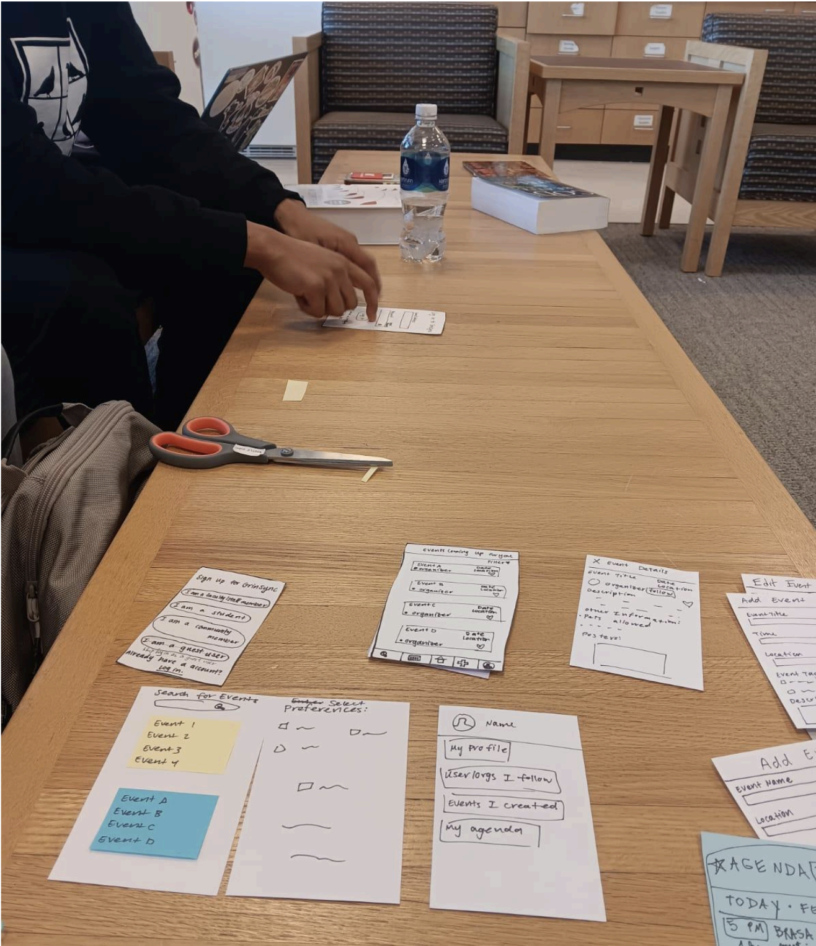
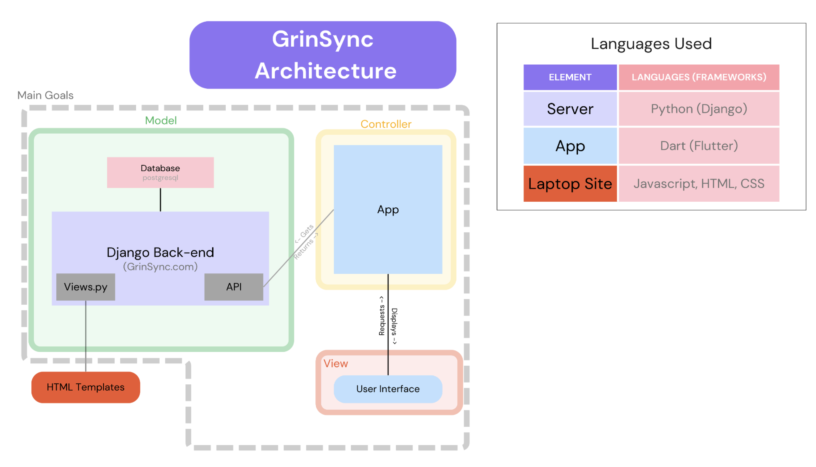
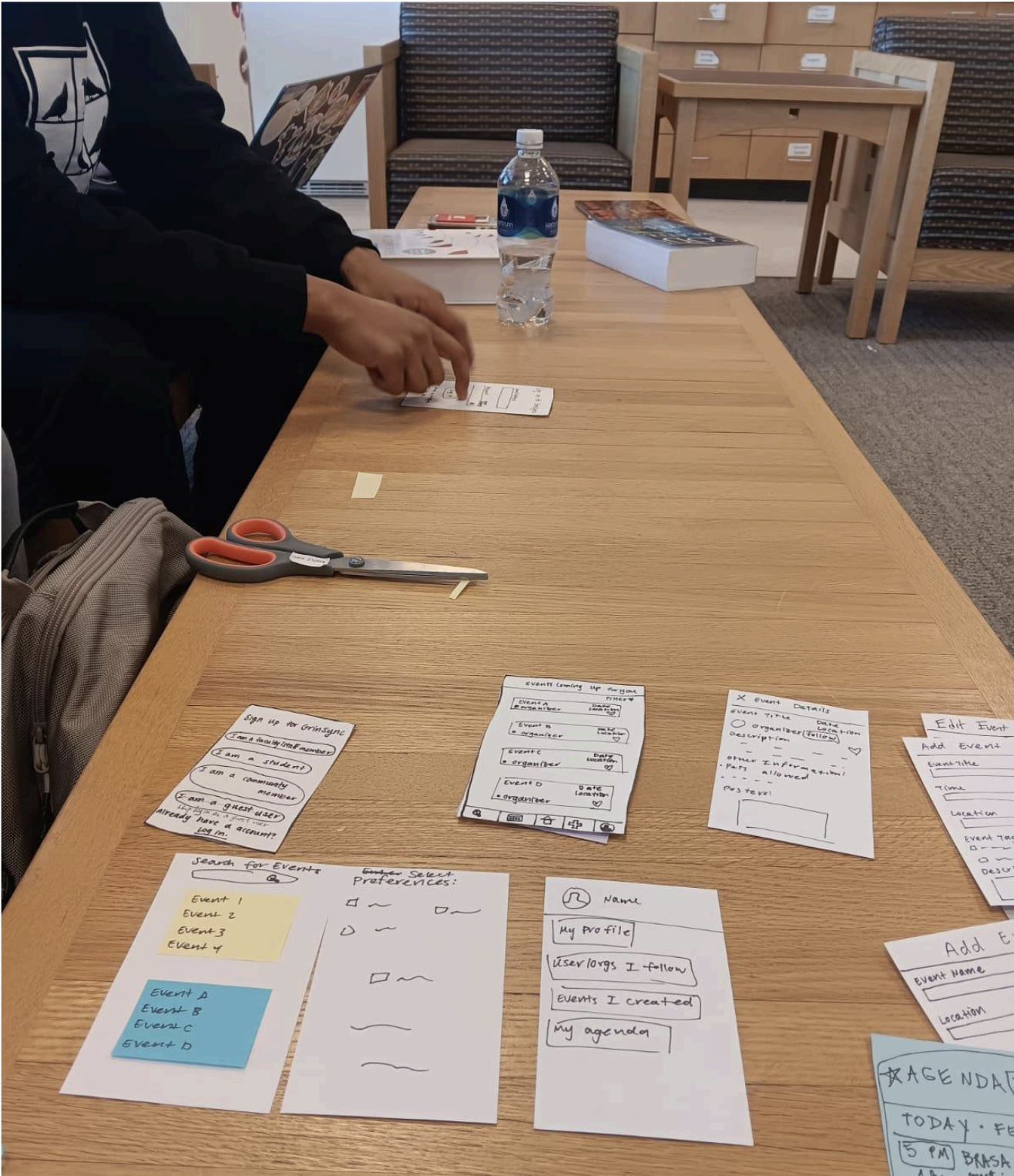
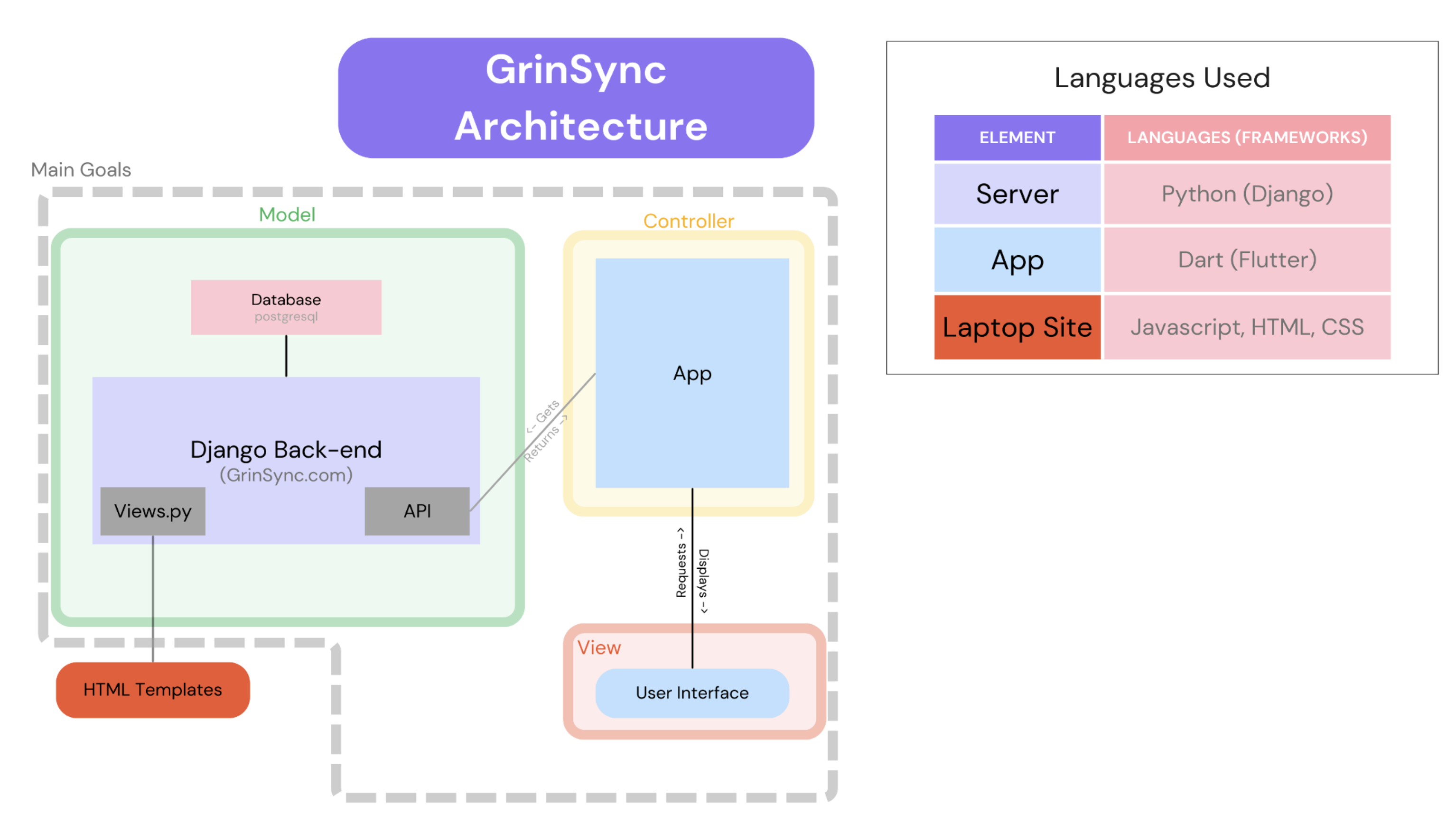
- Design: This stage is where we planned out the UI of our app and the architecture of our app. First, we created paper prototypes to model our app and tested it with real stakeholders to gain feedback. This part of the stage was mainly an iterative and continuous cycle of feedback and testing. Additionally, we planned out the software architecture of our app and decided on an MVC architecture (see diagram below).
- Implementation: In this stage, we developed code on the frontend and backend to implement an app that followed the design that we created in the previous stage. This semester, we successfully implemented all features of our MVP and implemented some stretch features.
- Documentation: Of course, we documented as we coded in the previous stage, but the last stage before we started executing our adoption plan was to document all of our code. This not only include in-line comments for our code but also updating our User Guide (the front-facing documentation for our target audience) and Developer Guide. The most significant challenge we faced was getting Flutter running on each of the frontend developer’s PCs. Ironically, getting our PCs ready to develop our app seemed to be a harder task than actually writing the code to do it. On our frontend team, we had different operating systems, which meant that everyone encountered a different issue when getting Flutter installed on our PCs. Even if two developers had the same PC, everyone seemed to experience unique issues that required solving. It took us almost a week to ensure that everyone on the frontend team had Flutter running on their PC.
 The most significant lesson that we learned as a team is that things never go as planned. This may be a bit cliche, or maybe it sounds a little pessimistic. The main message here is that no task will happen perfectly. As a result, we often found ourselves taking more time to finish tasks than we originally thought. For the future, we have learned to add some buffer to our time estimates in whatever work we need to do. Additionally, this lesson conveys the need for us to remain flexible throughout all stages of the project.
Acknowledgements
The GrinSync team would like to thank Professor Leah Perlmutter and Mae Bernacchi ‘24 for their amazing support and guidance throughout this project. We would also like to thank our stakeholders who have engaged with our app prototypes, tested our app during development, and given us feedback on how to make our app more user-friendly, accessible, and ready for adoption.
Repository Link