
Project Title: Simulating the Retinal Vision of Visual Scenes on Nonhuman Eyes
Skills: VR development, Scrum, Unity
What is your project about?
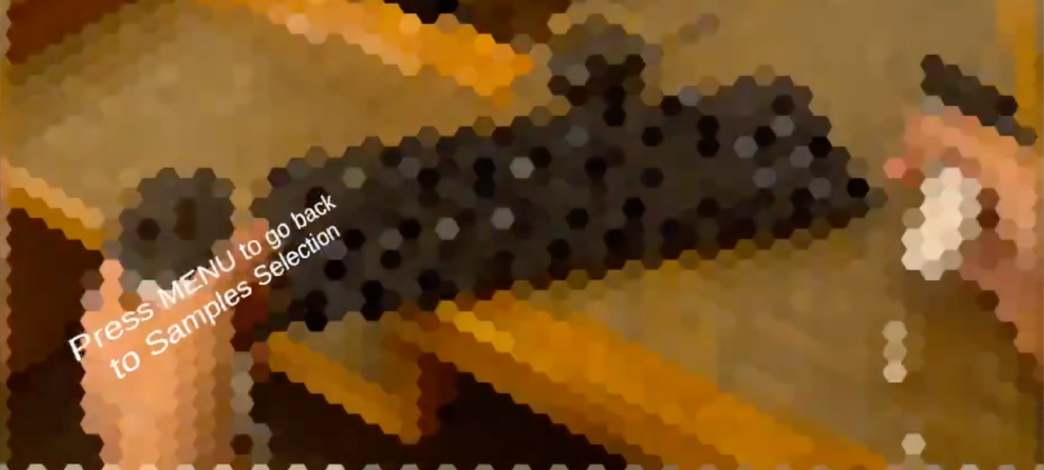
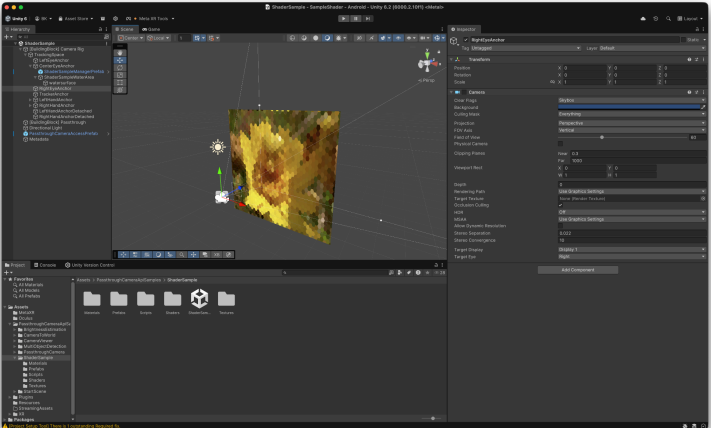 This project is a VR application that simulates nonhuman vision. Currently, it can simulate bee and dog vision, with modes that let the animal vision cover the entire screen or only the area inside a black box to help avoid motion sickness that may accompany VR experiences. This application was developed with Unity and can run on Meta Quest 3 VR goggles.
- The application works by augmenting the user’s view when they look out of the passthrough layer of the VR goggles’ camera. The bee vision works by dividing the user’s vision into a hexagonal pattern and blurring within each hexagon. We tested the vision to align with the output of the toBeeView program (see our motivating reference below). The dog vision changes the color scale the user sees through the goggles, reminding them that dogs do not see the world in the same colors as humans. There is a menu aspect that lets you switch between the different modes.
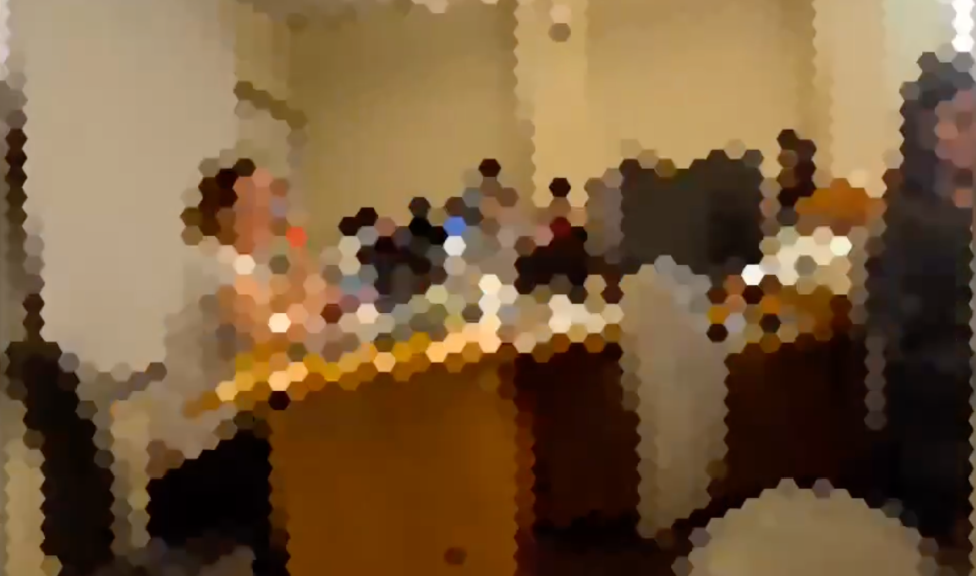 In short, our project accesses the camera view of the Meta Quest 3 and then passes that information through a texture shader in order to augment the final image that is displayed through the headset to the user. In this way, the program augments the world around the user, making it seem as though they are viewing it through the eyes of a bee.
What are the core aspects of your project?
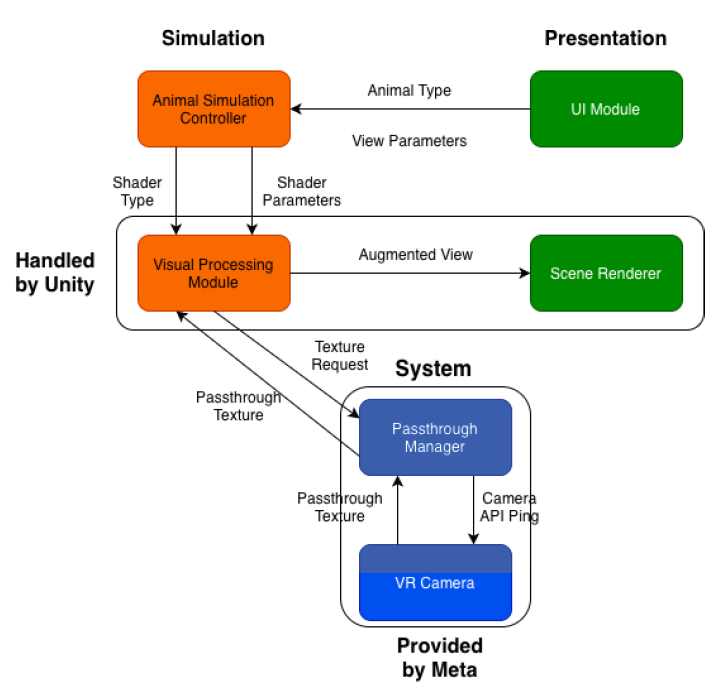
 There are three main components of our program:
- The main camera object is used to access the raw camera data (in the form of a Unity texture) using the WebCameraTexture API from Meta.
- We have a main augmentation shader that the camera texture is passed through in order to create the final augmented user view.
- We have a main user-interface component that allows the user to toggle the augmentation view on and off. The camera component passes the raw view texture to the shader, and then the shader is passed back to the camera for user display. Beyond this, there are very few software components to our project.
What are the goals/vision for this project?
- We aimed to build a simulation that would allow users to experience their surroundings through non-human eyes and to make that simulation as accurate and safe as possible.
What drove your design choices?
- Our design choices were driven by the technology we had available and its capabilities. We had access to a MetaQuest 3 VR headset, so we were able to pass the camera view through to a shader and thus augment the user’s vision. We had a backup plan to run the program on the phone if we were not able to access the cameras, but we thought it would be cooler to have an immersive VR experience, and that is what we ended up doing.
What does your project do? What was your client hoping to get out of it?
- The client was hoping to get a VR program that simulated nonhuman vision, which is exactly what our program does. Currently, it only supports bee and dog vision, but that could be expanded in the future. This could serve as an educational tool for people who are not aware of how animals see the world, or as an entertainment platform.
What are the project requirements? How did you address the requirements?
- We were instructed to build a VR/XR experience for users that simulates what it looks like to view the surrounding world through the eyes of different animals/insects. We effectively addressed these requirements with our MVP, which includes vision simulations for a bee and a dog.
Future work. If you were to continue this project, what would be the next steps?
- The next logical step would be to create other augmentation shaders that simulate the vision of other animals. Some of the animals that we wanted to simulate were: deer, snakes, dogs, and hawks, among others.
Show and describe your process to design and develop your project.
- Due to the simple nature of our project architecture, the structure of our project is fairly simple to follow. As discussed before, there are three main components that encapsulate the entire functionality of the product. As a group, we utilized the following public GitHub repository in order to understand how to utilize the WebCameraTexture API from Meta.
https://github.com/Uralstech/UXR.QuestCamera
By understanding this repository, the only other thing left to complete was the specific shader for our project – a bee vision shader. In order to build this, we utilized numerous online videos regarding how to create shaders using HLSL.
Talk about your challenges and achievements.
- We are proud to have completed this project. All of our group members were completely unfamiliar with how to build extended reality programs, and so we had to teach ourselves all of the necessary technologies involved in creating one. The fact that we were able to build a bee vision extended reality experience that mirrors the expectations of our guiding research paper is already enough to be proud of.
Acknowledgements and References
We would like to thank the following people:
- Alex Hiser for guidance on using VR goggles and potential motion sickness problems to consider.
- Professor Eliott for being our client and providing feedback.
- Sasha Grigorovich for help with shaping our project description to go on our resumes/CVs.
- 324 classmates for giving feedback
References:
- toBeeView paper, by Miguel A Rodríguez-Gironés and Alberto Ruiz: https://pubmed.ncbi.nlm.nih.gov/30128137/
- Unity 6, HLSL (for our shaders). Meta Quest 3, OpenAI’s GPT-5 (ChatGPT) to understand Meta’s WebCameraTexture API: https://github.com/Uralstech/UXR.QuestCamera
